What My AI Units Actually Do
Developing AI units for my Unreal engine game has been a unique experience. I've never developed anything more complicated than simply seeking out an enemy and attacking it. I can ultimately say that it's not nearly as complicated as I initially thought, the kicker is how time consuming it is to tweak and perfect. The key to AI programming seems to be relentless testing to hammer out anything you didn't think of as you were programming the units. You see in ROBA, an RTT(Real Time Tactics) game I'm developing, the units move, shoot, capture objectives, throw grenades, pick up players who are downed and plenty more. Developing the initial concept for what they were going to do did indeed take some time and was rather complicated, but ultimately the most time consuming part has been testing them and figuring out what works and what doesn't.
Unreal engine had AI behavior trees that I did try to use but it didn't quite work out for me. I ultimately went down my own route. So in this post I'll discuss the general concept, the optimizations and complications.
How the Behavior Timer Works
Now I'm not an AI programmer and this was a pretty new experience for me, but essentially my AI units run on one timer(two actually, we'll get there). This timer simply acts as a behavior tree, it branches out into multiple actions depending on certain situations and variables that I've defined. I believe this is essentially what most of what AI behavior is in games. You create a tree of behaviors and then determine which one to be used based on certain situations. Mine is.. are there enemies present? are we in cover? and are we reloading? Each of these have random number generators to determine which action is performed after determining a few important factors. So if there's no enemies present, we essentially focus on the objective alone. Another important factor is that most games are pretty much move and shoot, move and shoot or evade and shoot and I stuck to this concept. So while the AI unit is performing each of these actions, it's also determining if it's being shot at and if it's being shot at it never stops moving. It continues to evade, this evasion functionality comes with its own complications. Since the unit never stops dodging or moving he would run out of the playzone. The attacking portion of the tree is essentially the auto attack feature or to use any of the items that they have. As you can imagine, this is a lot of programming. A lot of times in your initial program you'll end up doing a lot of unnecessary actions, which leads us to our next part of the discussion, optimization.

Optimization: Caching Enemies and Staggering Timers
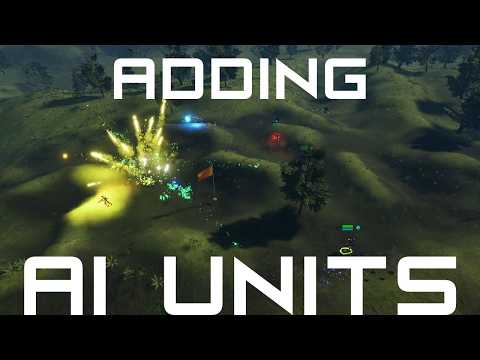
My first rendition had discovering enemies in the same timer which is run every second. Now part of that discovering enemies is determining if they're in cover or not which requires line traces. Firing one every one second or every two seconds probably isn't too bad considering I was using "for loops" with a break so it never went through the full enemy list. But what happens is when my unit completes a behavior it immediately jumps back into the loop to prevent the unit from stopping. This means sometimes we would call checking for enemies more than every half second, even this isn't that bad but when you get up to 10, 15 or 20 units this really starts to show. So the single greatest optimization I did was to put discovering enemies on a separate timer and then randomizing that timer for each unit so they don't run on the same frame. I've read that this is called caching enemies. Now the most daunting task of the AI behavior tree is moved off separately where it can be contained and run without interference or being run more than necessary. This dramatically improved my performance, so much that I can now run 40 AI units doing all these complicated tasks in one game. The video below demonstrates 40 units fighting in one area.
Complications: Infinite Loops and Keeping Units Moving
A lot of complications I ran into were the units stopping after an action completed or running into infinite loops. Infinite loops being that once a behavior finishes it jumps right back into the loop, but if you programmed it incorrectly, it would run the same behavior over and over again due to unforeseen circumstances. This complication forced me to program it in a way that prevented it calling back on itself endlessly. Some delays were also introduced because oftentimes the engine would pick up an infinite loop because it called itself five times. This is an anomaly though considering that almost every action is hidden behind a random number generator determining one or the other action. Which means it would find itself in an infinite loop due to an anomaly of randomly generating the same action over and over again. Therefore, I introduced delays into some of the actions that I knew might have issues to prevent the infinite loop. This introduced a new problem though, if there's delays when an action completes now, the unit will stop, which is unacceptable in a lot of situations. So in some of these situations, if I need to delay, I simply tell the unit to continue moving forward 500 units until the next action starts. In fact, this was introduced into many aspects of the loop to prevent the unit from stopping and it turned out pretty well.
Unlike this blog post, it never ends
There were many many issues I ran into and I've learned many new things. I wish I could share all of them but it would simply take too much time. Not only that but there's always new issues and new complications with behavior trees. Ultimately I've gotten the game to run 40 units without too many issues. It stays around 60fps the whole time. I'll continue to provide updates in my blog but most of my updates are given to youtube, please consider following me there to keep up to date with progress. Thanks for reading.